

Document Tracking with QR Code Workflow Automation
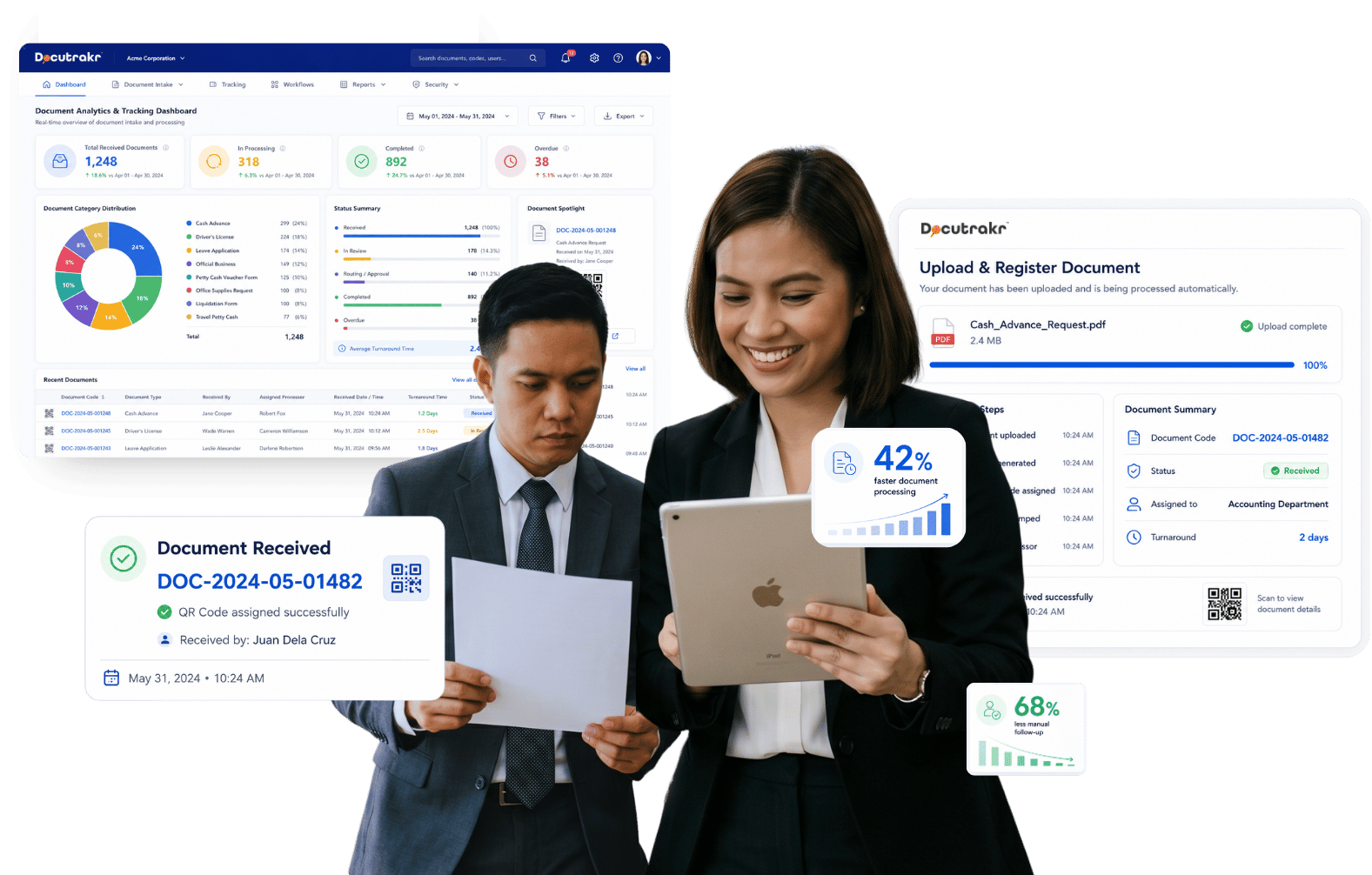
Assign a unique QR code to every document upon receipt, then monitor its location, processor, and status through a configurable workflow until it's filed. Know where every document is — and how long each step is taking — in real time.
Unique QR per document
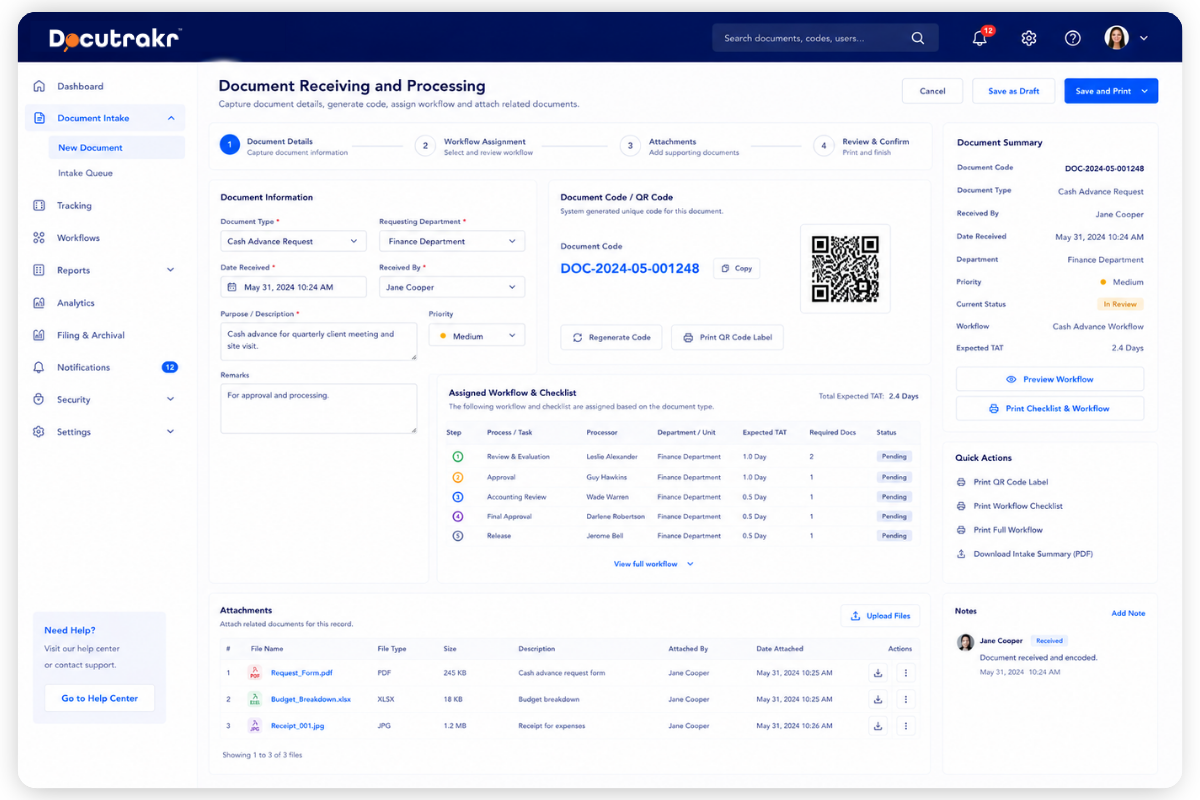
Every document gets a unique QR code or document code at the point of receipt — date and time stamped, processor recorded.
Auto-assigned workflows
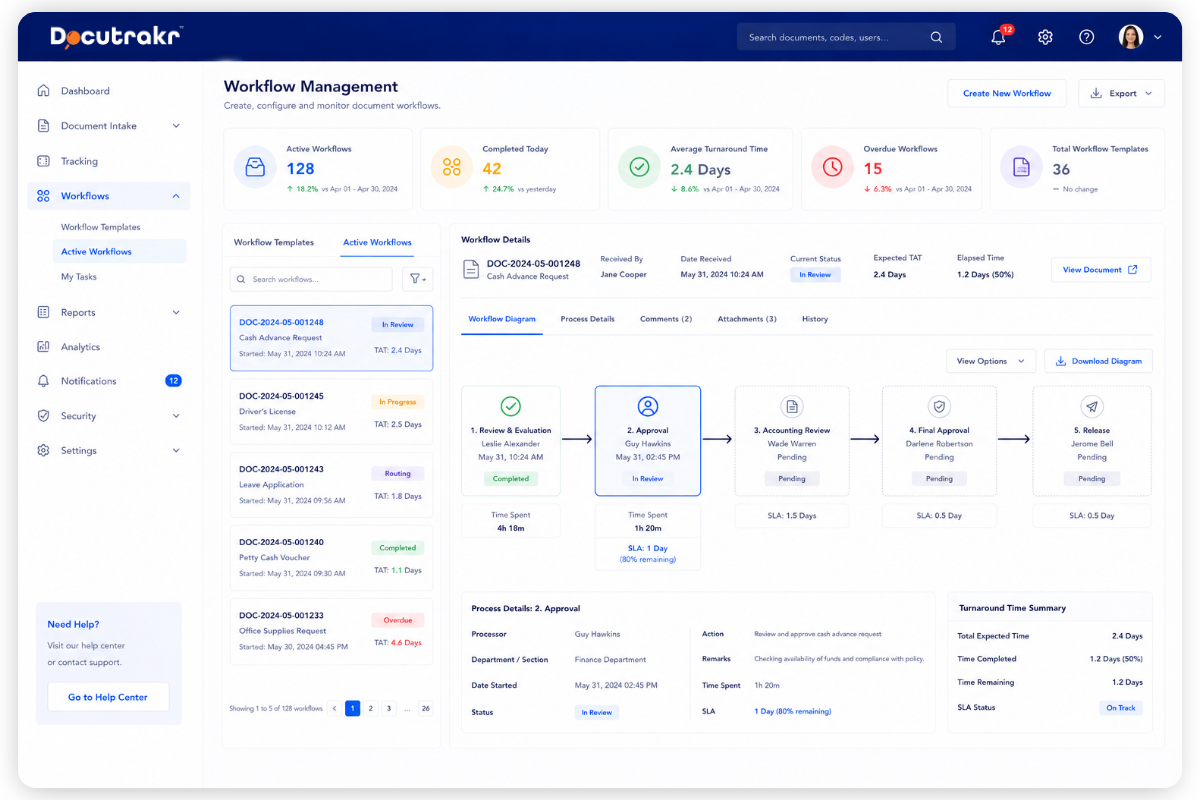
The right workflow is assigned based on document type — with pre-defined processors and expected turnaround time per step.
Measurable turnaround
Actual time spent at every step is recorded and compared against expected turnaround — bottlenecks surface immediately.
Why teams switch from logbooks and shared drives
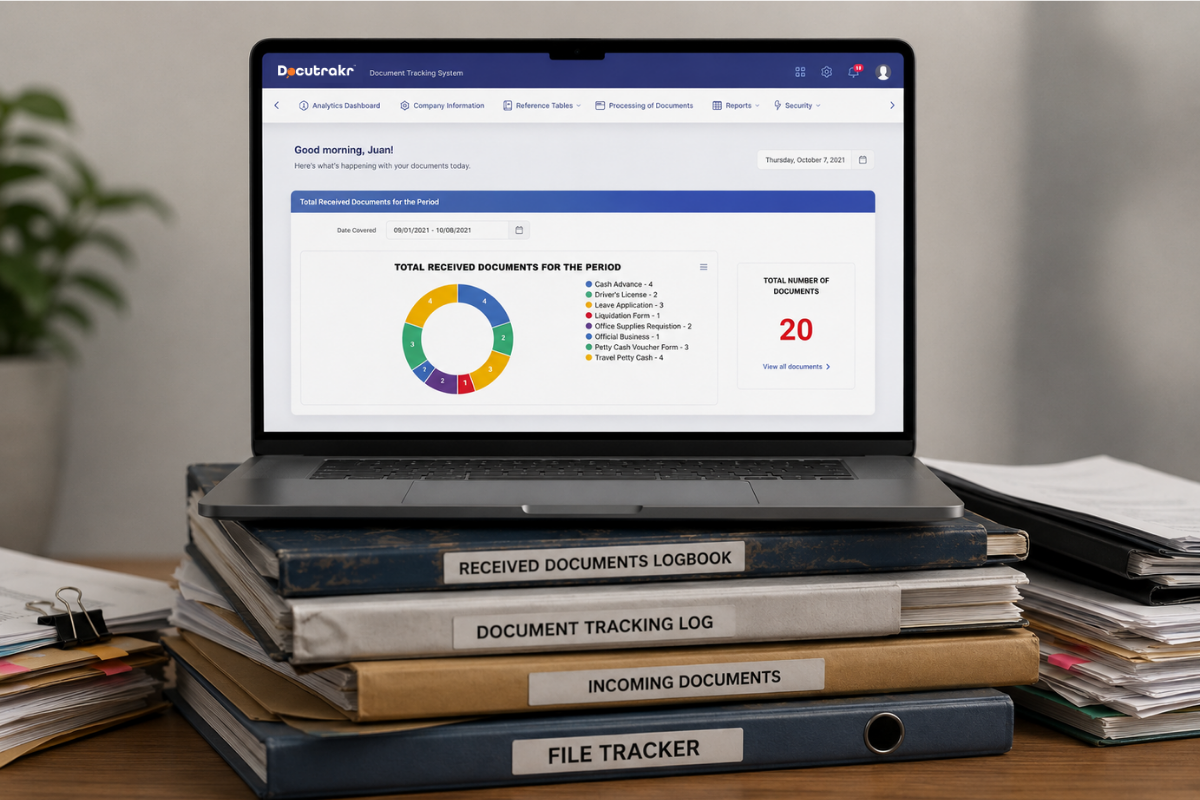
Manual document logs lose track of who's holding what. Shared drives store files but don't tell you whether a request has been processed, who's sitting on it, or how long it's been there.
Docutrakr fills that gap. Every document gets a code at receipt and rides a pre-defined workflow through the right processors automatically — with timestamps, notifications, and a full audit trail.
- Cloud-hosted SaaS or on-premise deployment
- Configurable workflows per document type
- RA 10173 compliant with 2FA and full audit trail
What changes when documents run on Docutrakr
No lost documents
Every document has a code. Anyone can scan or search to see exactly who's holding it and where it is in the workflow.
Automated routing
Workflows route documents through the right processors automatically — no manual handoffs, no dropped queues.
Performance visibility
Measure processing time per processor, per department, and per document type. Reward speed; identify delays.
Full audit trail
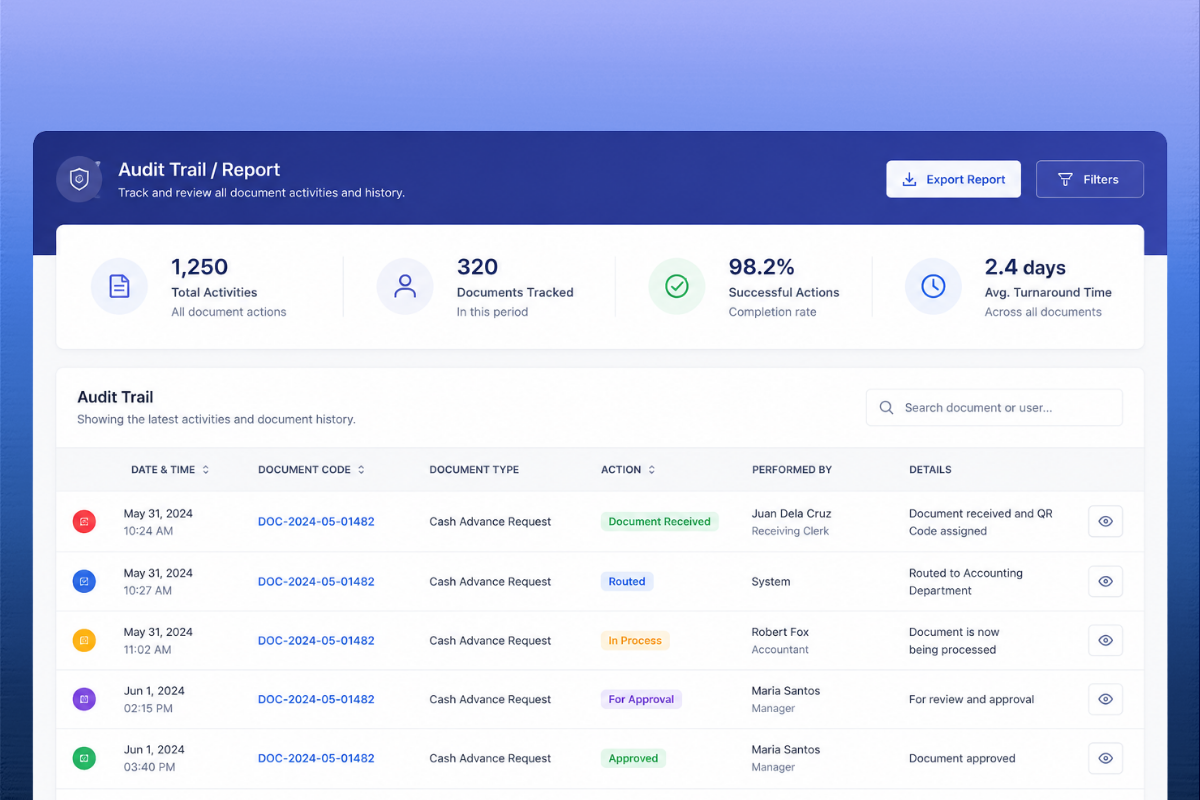
Every action by every user is logged, retrievable, and printable — for internal governance and external audit.
RA 10173 compliant
Built for Data Privacy Act compliance — role-based access, two-factor authentication, configurable password policy.
Cloud or on-premise
Deploy as cloud-hosted SaaS or on-premise — same features, same security, your choice of infrastructure.
Built for accountability over document movement
Government agencies, HR departments, accounting teams, legal offices — any unit that needs to know who has what document, where it is, and how long it's been there. Configurable workflows, automated routing, and a complete audit trail in one system.
- Unique QR code or document code assigned at receipt, with workflow checklist printed
- Real-time receipt date and time stamping, with processor recorded
- Auto-assigned workflows per document type, with processors and turnaround time per step
- Attachment tracking alongside parent documents
- Email and in-app notifications for requestors and processors at every status change
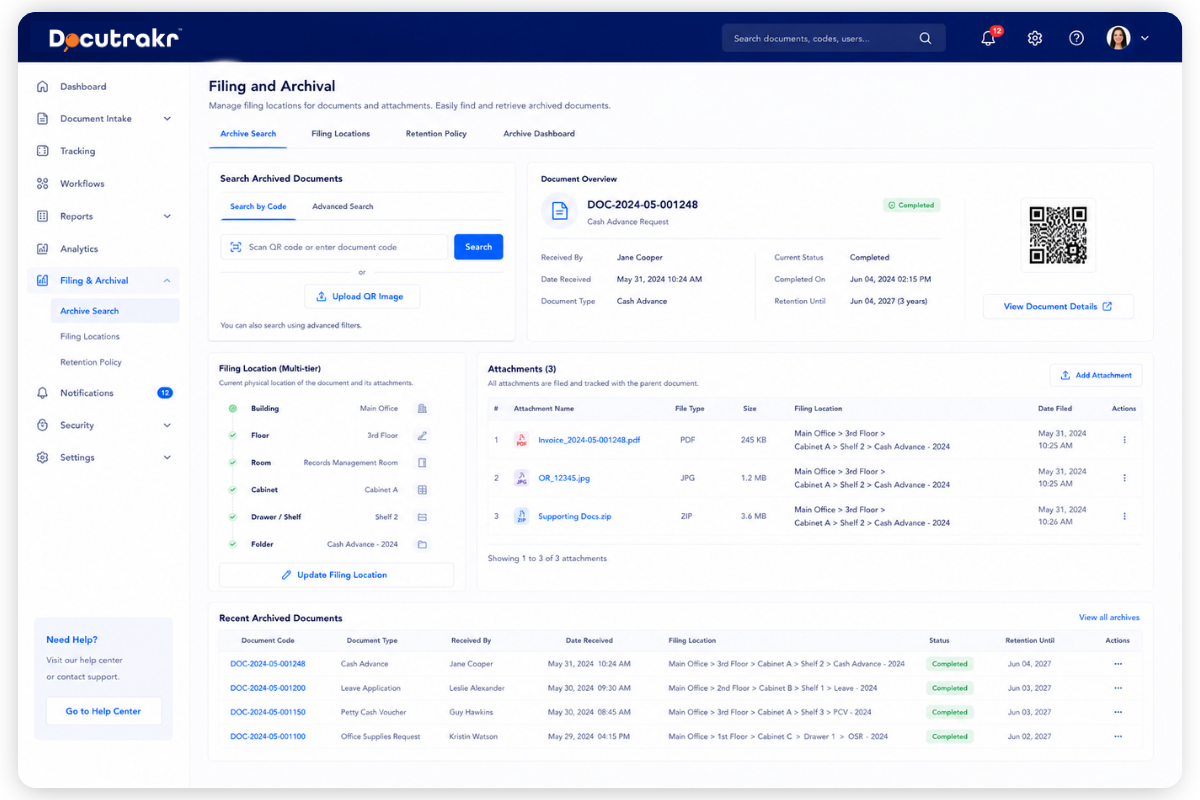
- Filing location logged with multiple definable tiers (building, floor, cabinet, folder)
- Actual vs expected turnaround time computed at every step
- Auto-generated workflow diagram for every submitted document
- Data Privacy Act (RA 10173) compliant with two-factor authentication and full audit trail
Modules and Capabilities
Docutrakr ships with everything you need — QR-coded receiving, configurable workflows, notifications, dashboards, security, and report management.
Hello world new copy for you.
- QR code / document code generation at receipt
- Printable workflow checklist per document
- Attach related documents to a parent record
Configure the workflow for each document type with a defined sequence of steps, processor assignments, and turnaround time per step. Sequences are flexible and re-orderable. The system computes time spent per processor and per department, and generates a workflow diagram for every document.
- Per-step processors and turnaround times
- Re-orderable workflow sequences
- Auto-generated workflow diagrams
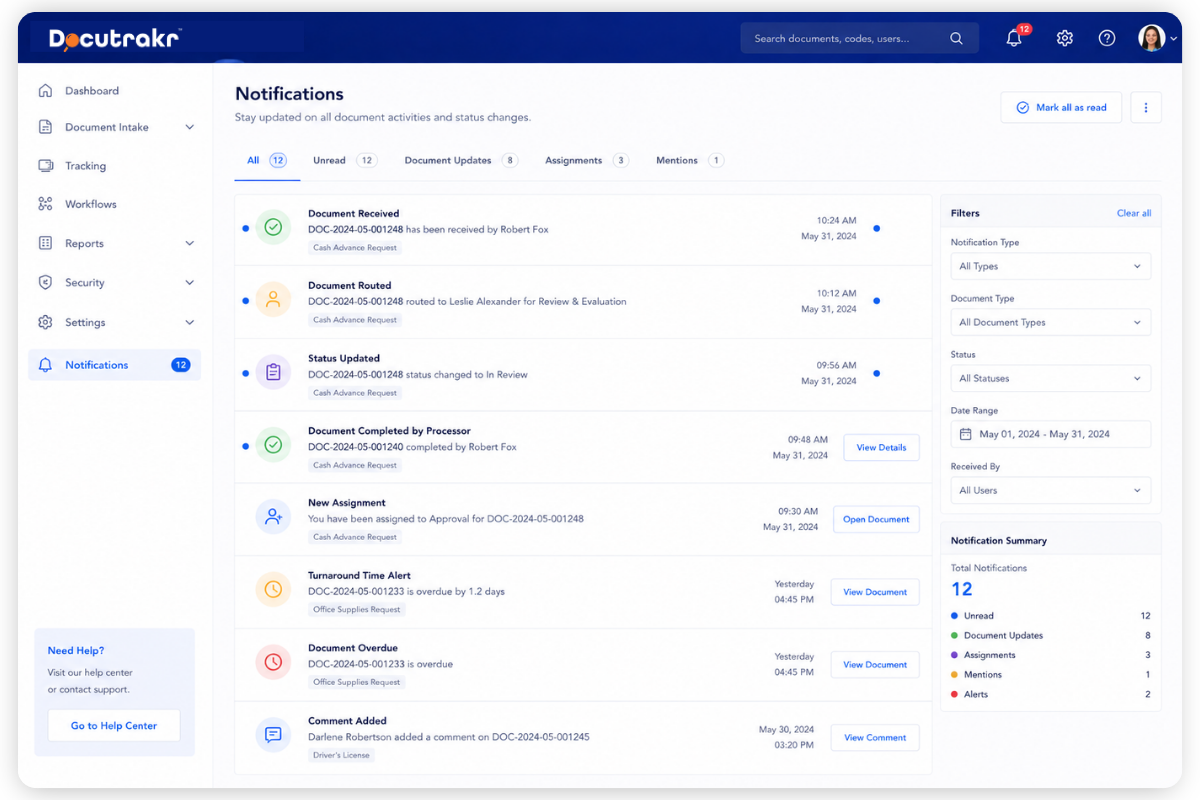
Email and in-app notifications fire automatically. Requestors are notified each time the document is received by a new processor, with the current status. Processors are notified when a document arrives in their queue.
- Requestor notifications on every status change
- Processor notifications on new arrivals
- Configurable templates per event
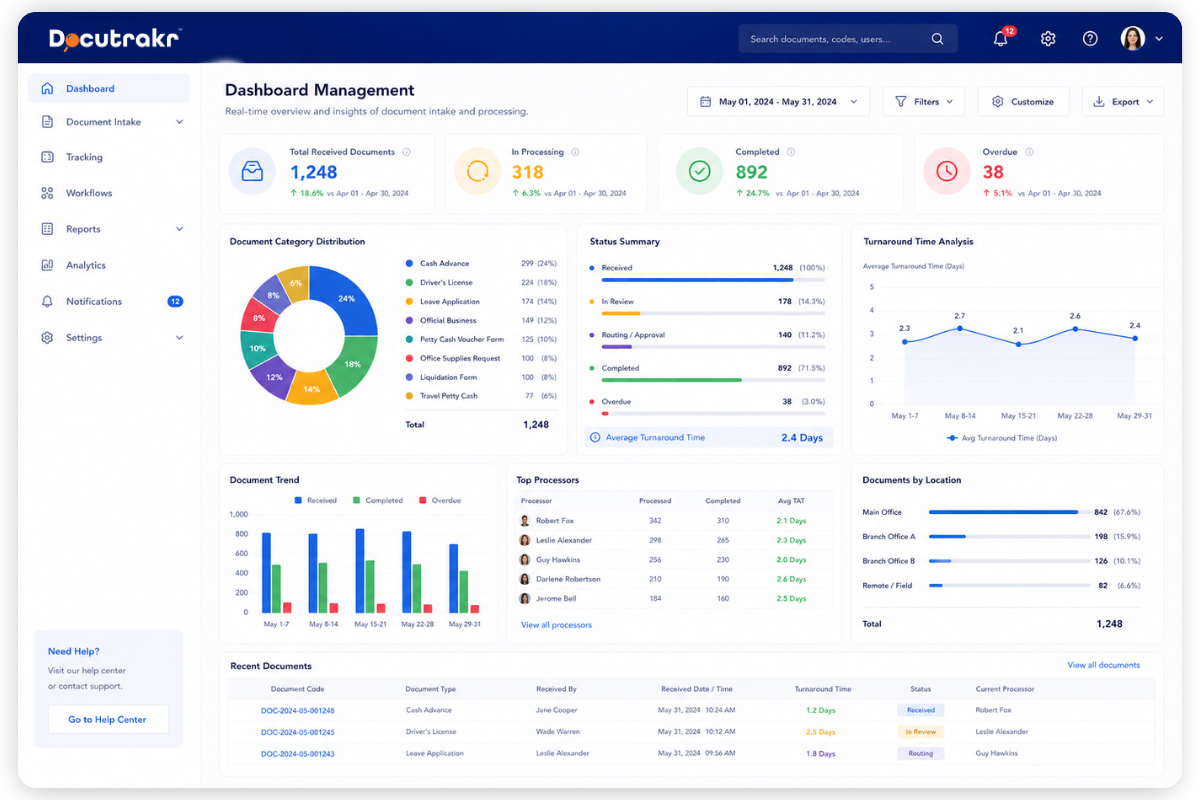
A customizable dashboard displays real-time summaries of document volume, status, and processing performance in charts and graphs. Built-in analytics surface insights for management decision-making — which departments are processing fastest, which documents are overdue, where bottlenecks are forming.
- Real-time document volume and status
- Processing performance in charts and graphs
- Bottleneck and overdue document surfacing
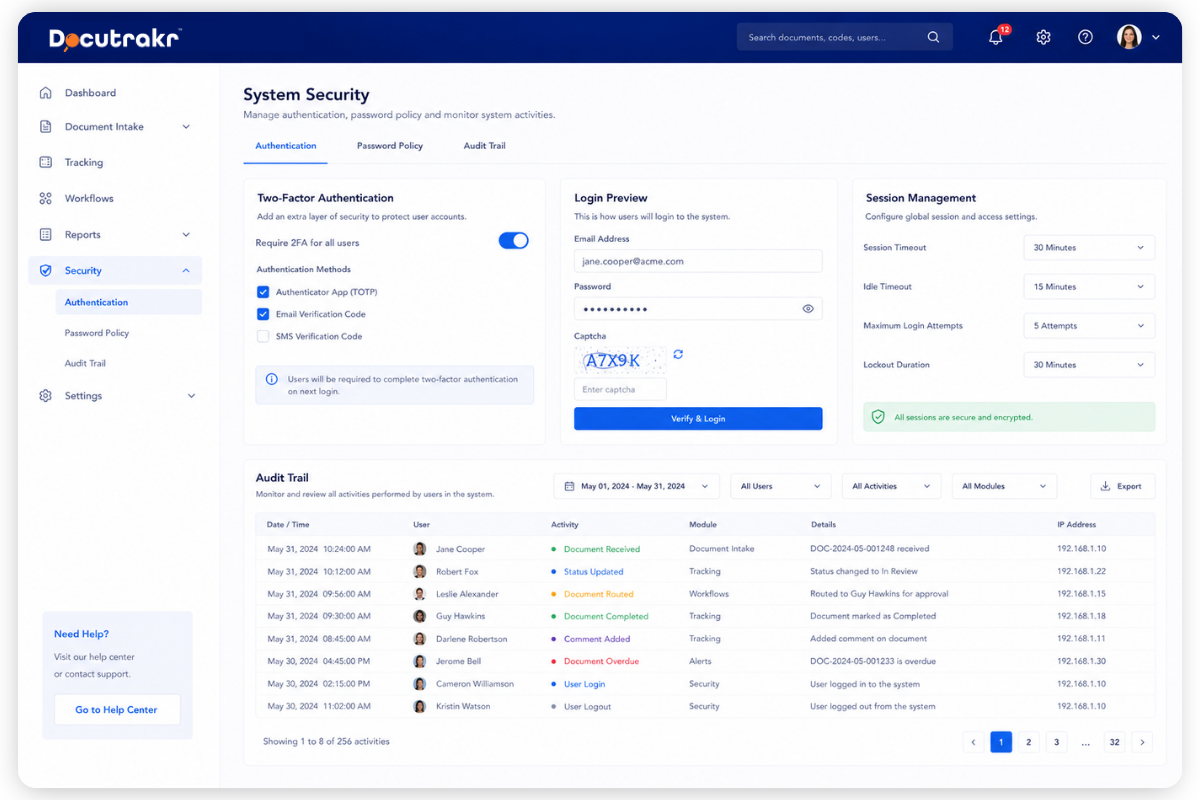
Two-factor authentication using password and CAPTCHA. Configurable password policy. Full audit trail of every user action, retrievable and printable for internal governance and external audit.
- Two-factor authentication (password + CAPTCHA)
- Configurable password policy
- Retrievable, printable audit trail
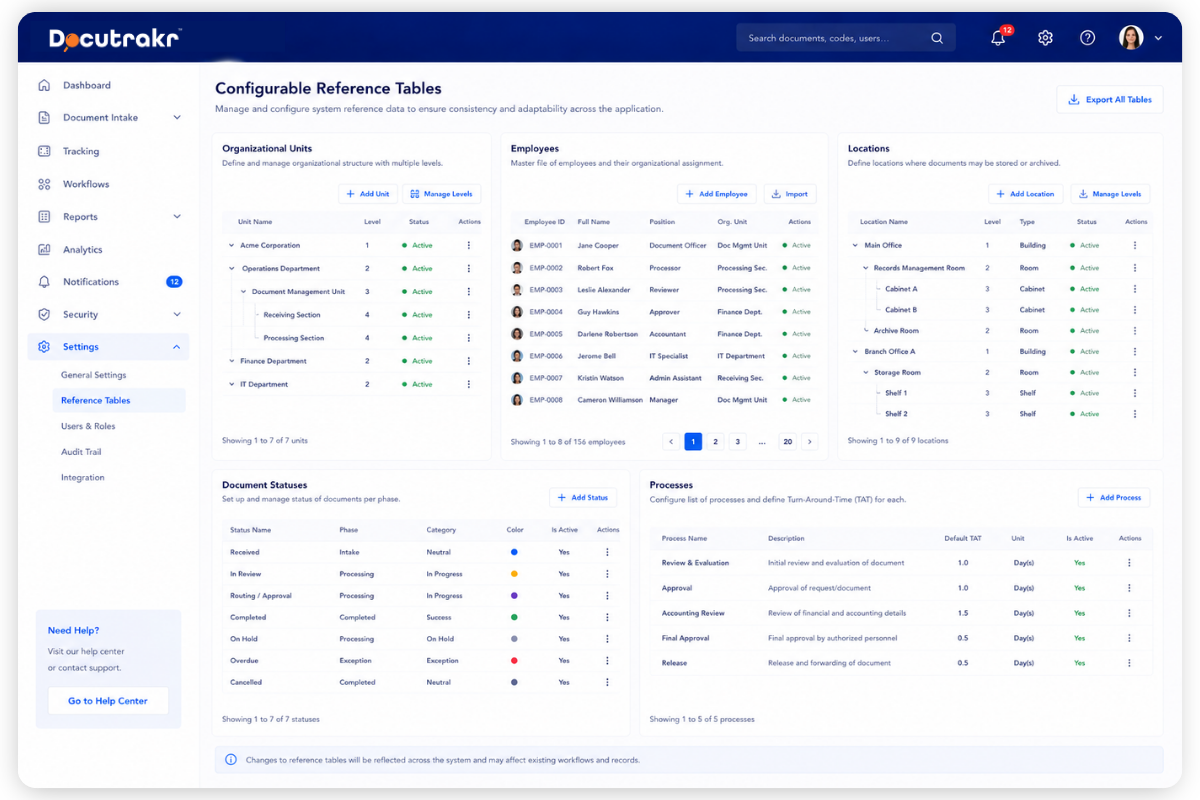
Adapt the system to any organization's structure — organizational units with multiple levels, employees by assignment, locations with multiple tiers, document statuses per phase, and processes with definable turnaround time per step.
- Multi-level organizational units
- Multi-tier storage locations
- Per-phase document statuses and TATs
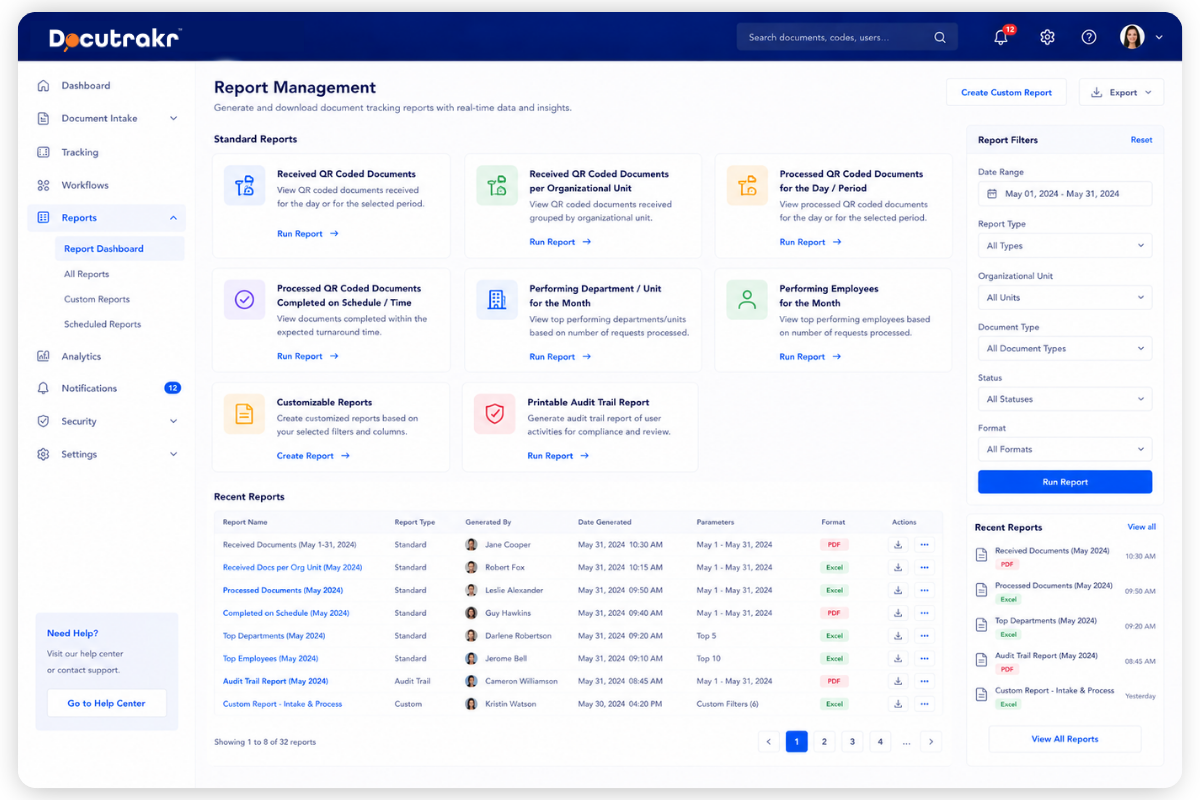
Generate document tracking reports in Excel, CSV, or PDF: received documents for the day or period, per organizational unit, processed-on-schedule lists, top-performing departments and employees, customizable reports, and a printable audit trail report.
- Received and processed documents by day, period, or org unit
- On-schedule vs delayed reporting
- Top-performing departments and employees of the month
Log the filing location of every document and its attachments — with multiple definable tiers like building, floor, cabinet, and folder. Find any archived document by scanning its code or searching.
- Multi-tier filing location capture
- Attachment filing tracked with parent
- Searchable archive by QR or document code
Frequently Asked Questions
Get started
Solve Your Document Tracking Problems Today
Walk through QR receiving, configurable workflows, dashboards, and the audit trail with our team — live demo, your scenarios.